Apps for BigCommerce stores
BigCommerce apps that turn browsers into buyers
A free shipping progress bar that nudges shoppers to add one more item, festival sale countdowns that give every offer a deadline, and your Google and store reviews where shoppers can see them.
Free Shipping Bar
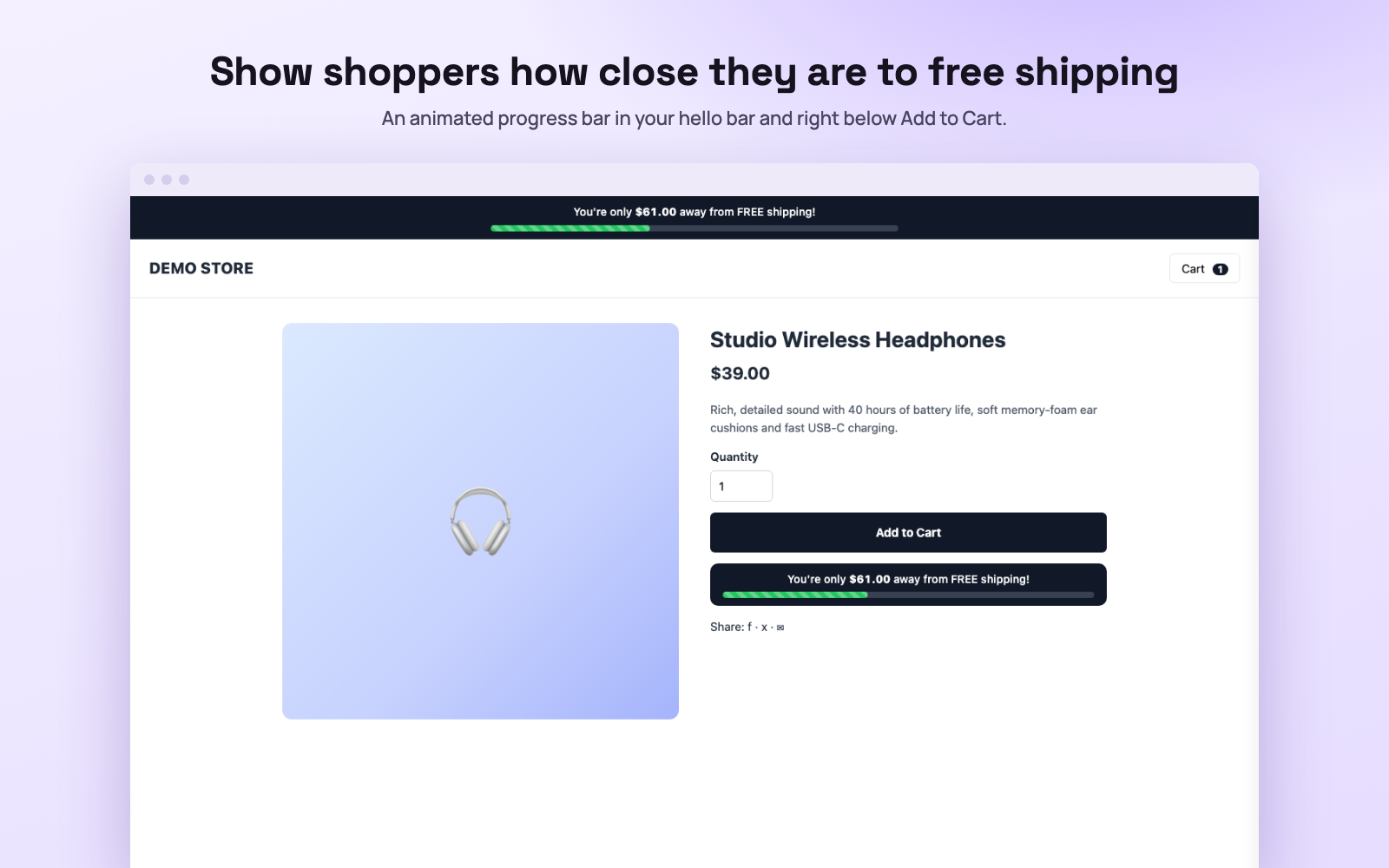
Show shoppers how close they are to free shipping.
Set your free shipping amount and an animated progress bar appears in your hello bar, below the Add to Cart button and in the slide cart. As shoppers add products, the bar fills up and the amount left counts down, with no page reload. When they reach it, the bar turns into a congratulations message with a confetti burst.
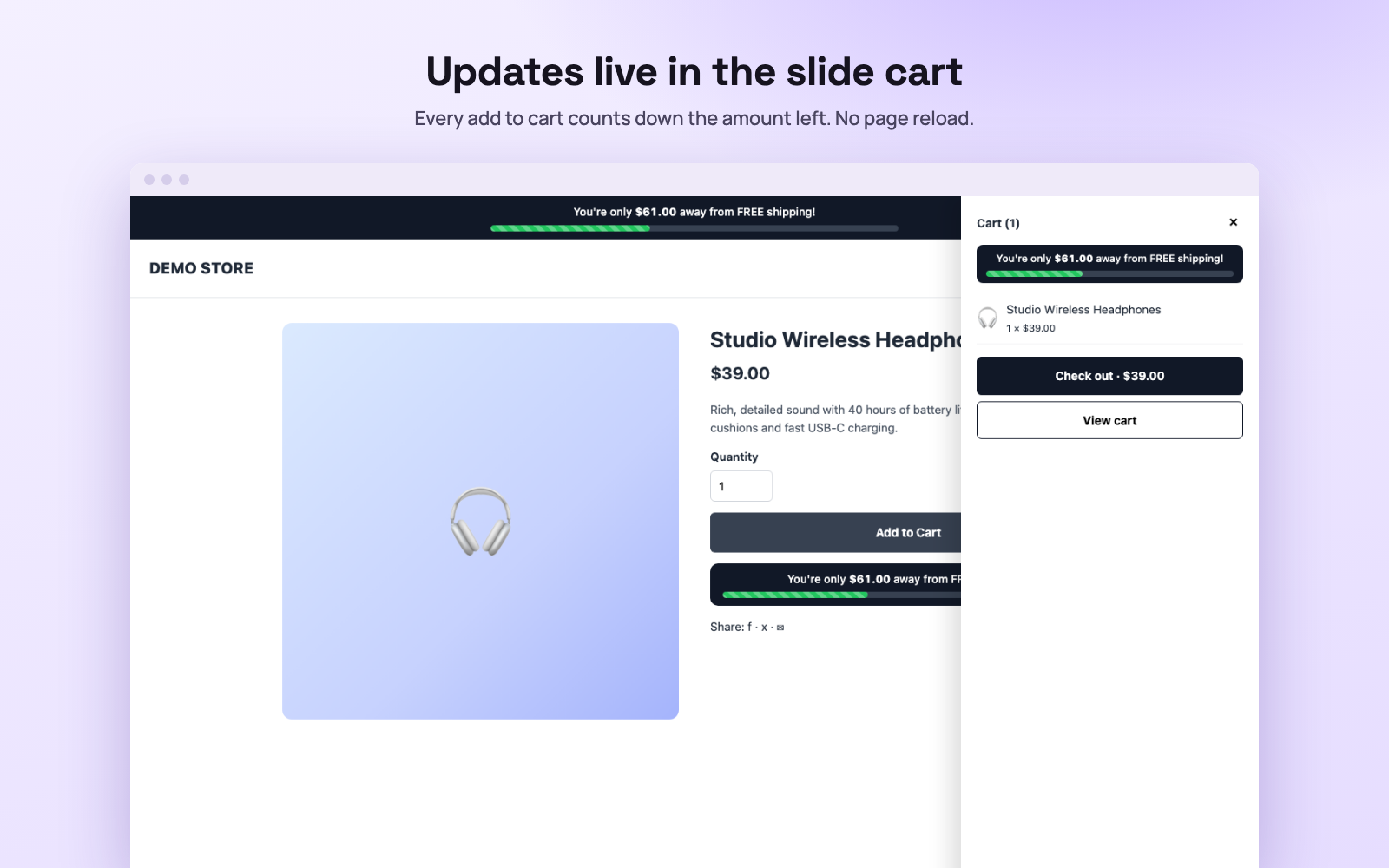
The slide cart updates the moment a product is added. 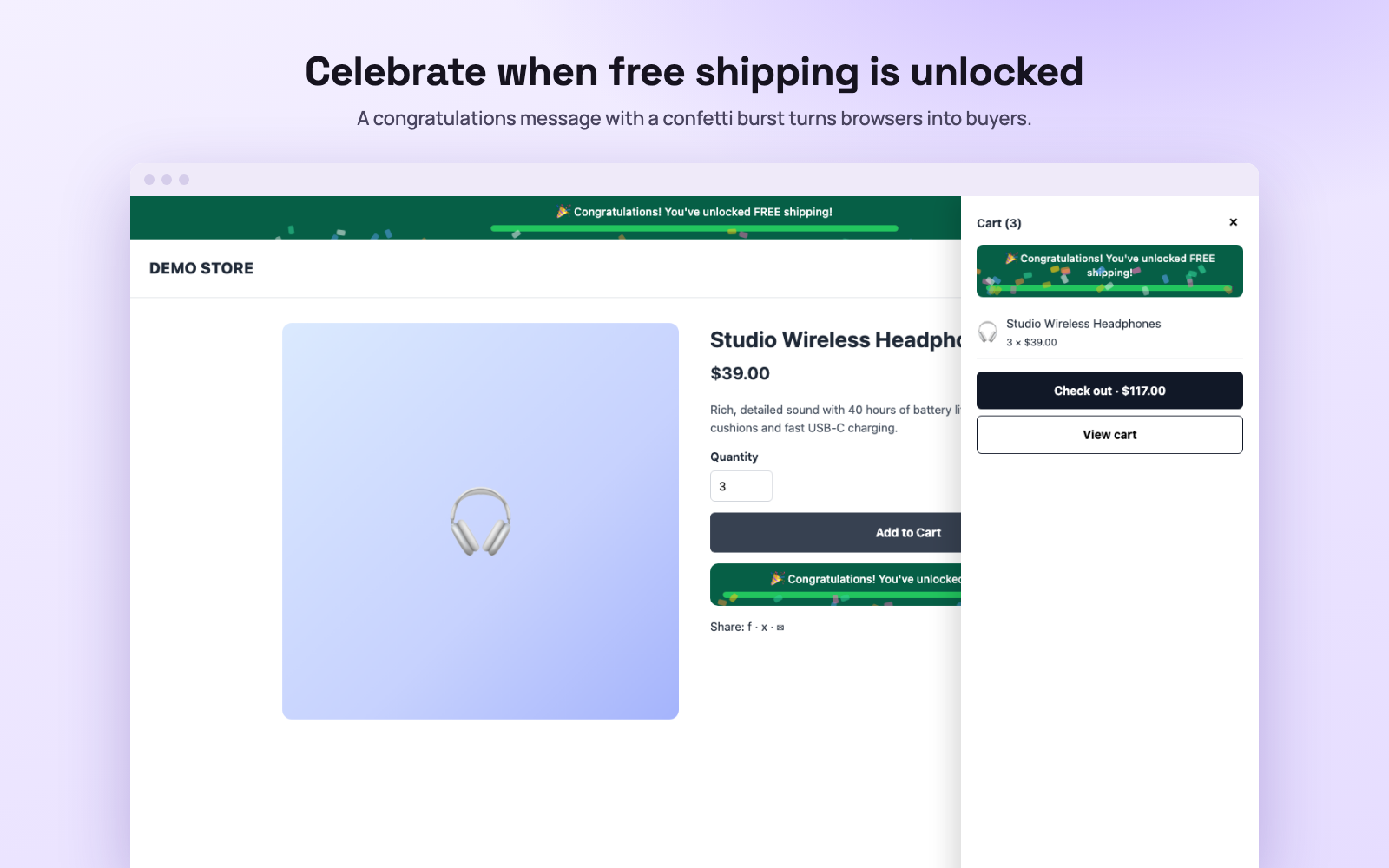
A congratulations message and confetti when free shipping is unlocked. 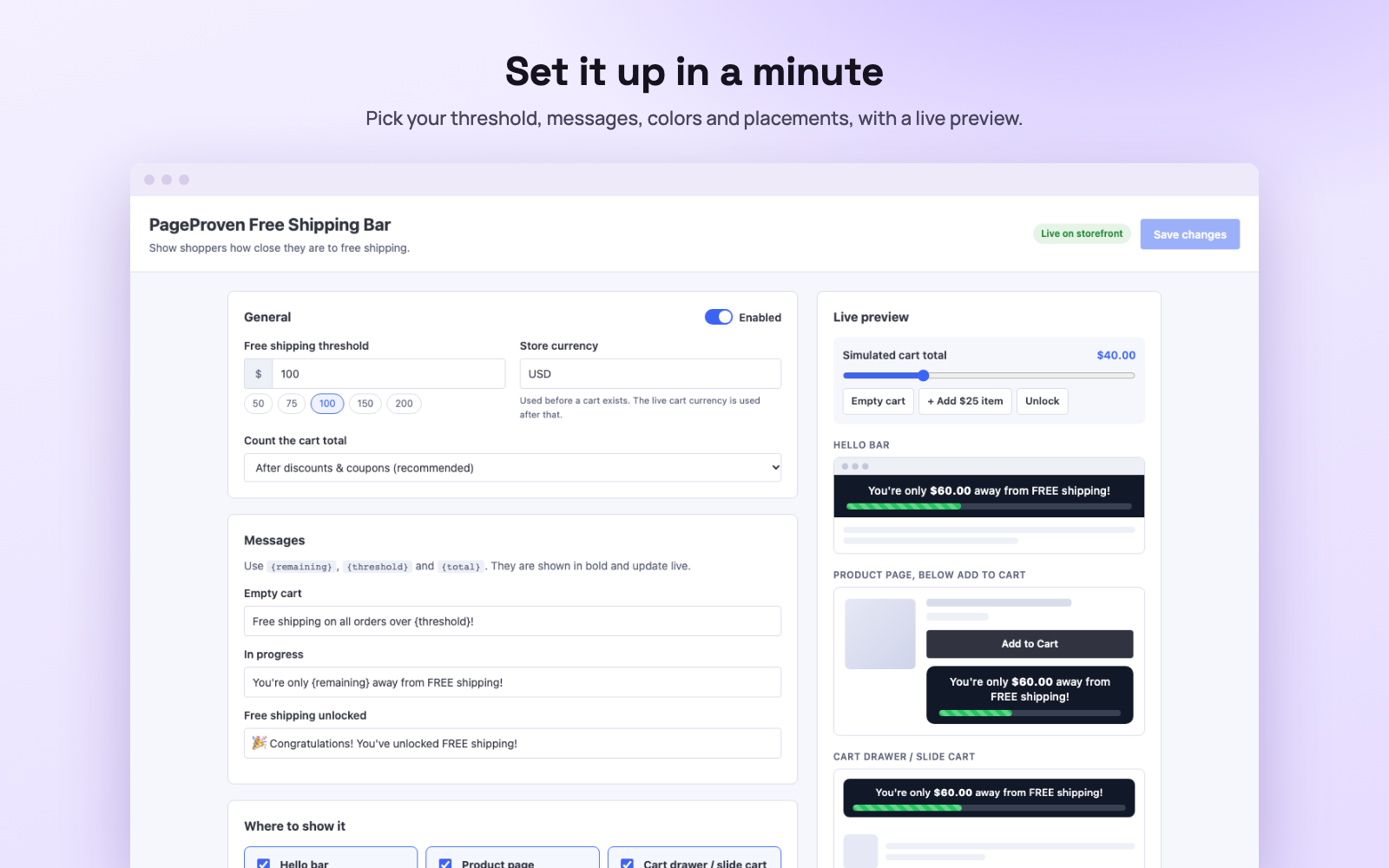
Threshold, messages, colors and placements, with a live preview.
Features
- Live progress barFills up and counts down the amount left as shoppers add to cart, with no page reload.
- Shows where shoppers decideIn the hello bar, below Add to Cart and in the slide cart. Turn each one on or off.
- Celebrates the unlockA congratulations message and confetti when the free shipping amount is reached.
- Your messages and colorsEdit the empty, in-progress and unlocked messages, the colors, the animation and the font size.
How it works
- Install the app from your BigCommerce control panel.
- Enter your free shipping amount and store currency.
- Choose where the bar appears and save. It shows on your storefront within a minute.
- Set up the matching free shipping rule in BigCommerce so checkout applies it.
Countdown Timer
Give every festival and sale a deadline shoppers can see.
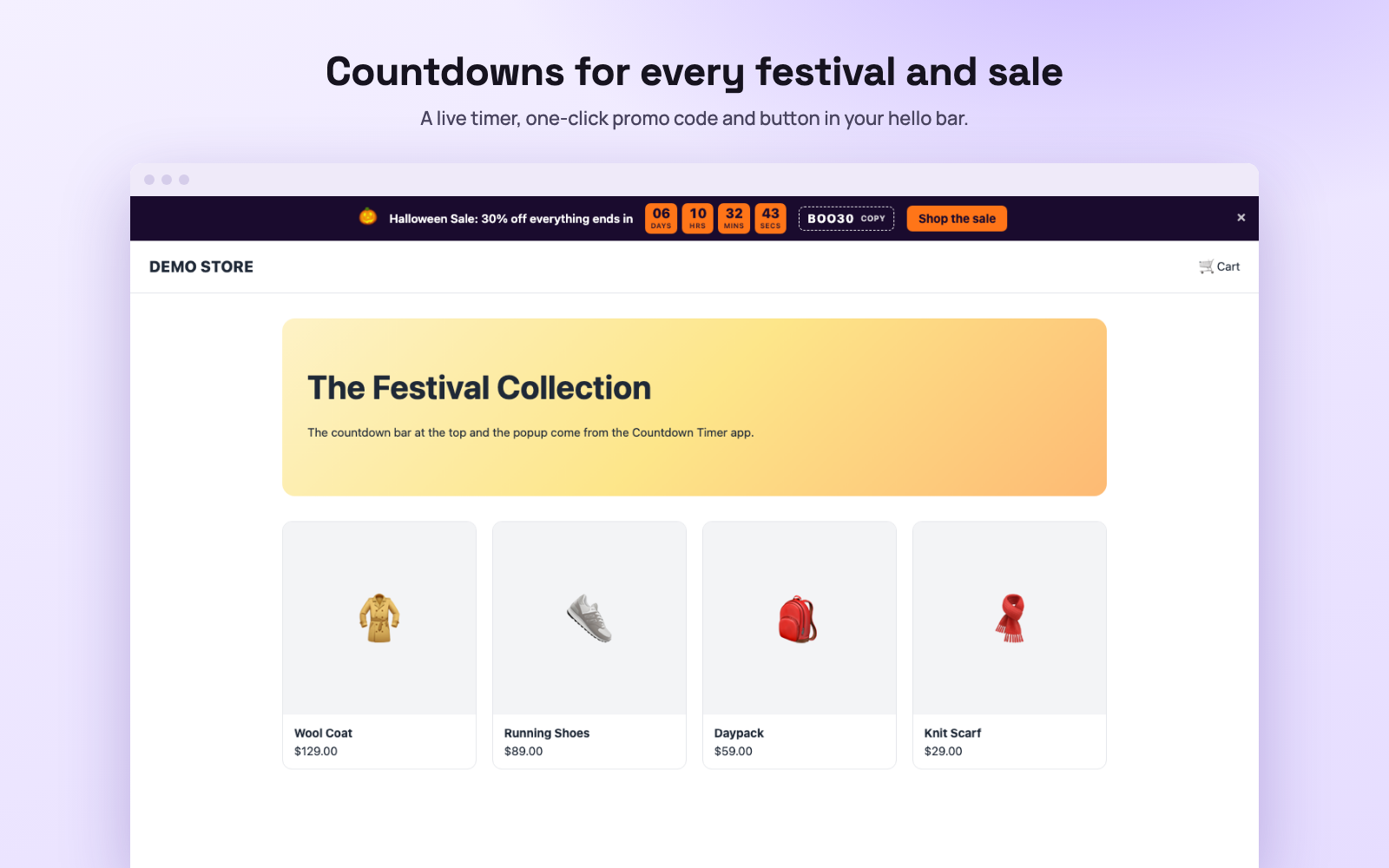
Add a live countdown to your hello bar and an optional popup, with a promo code shoppers copy in one click. Start from a ready-made theme for Halloween, Black Friday, Christmas, New Year, Diwali or Valentine’s Day, or build your own. Schedule campaigns weeks ahead and they start and end on their own.
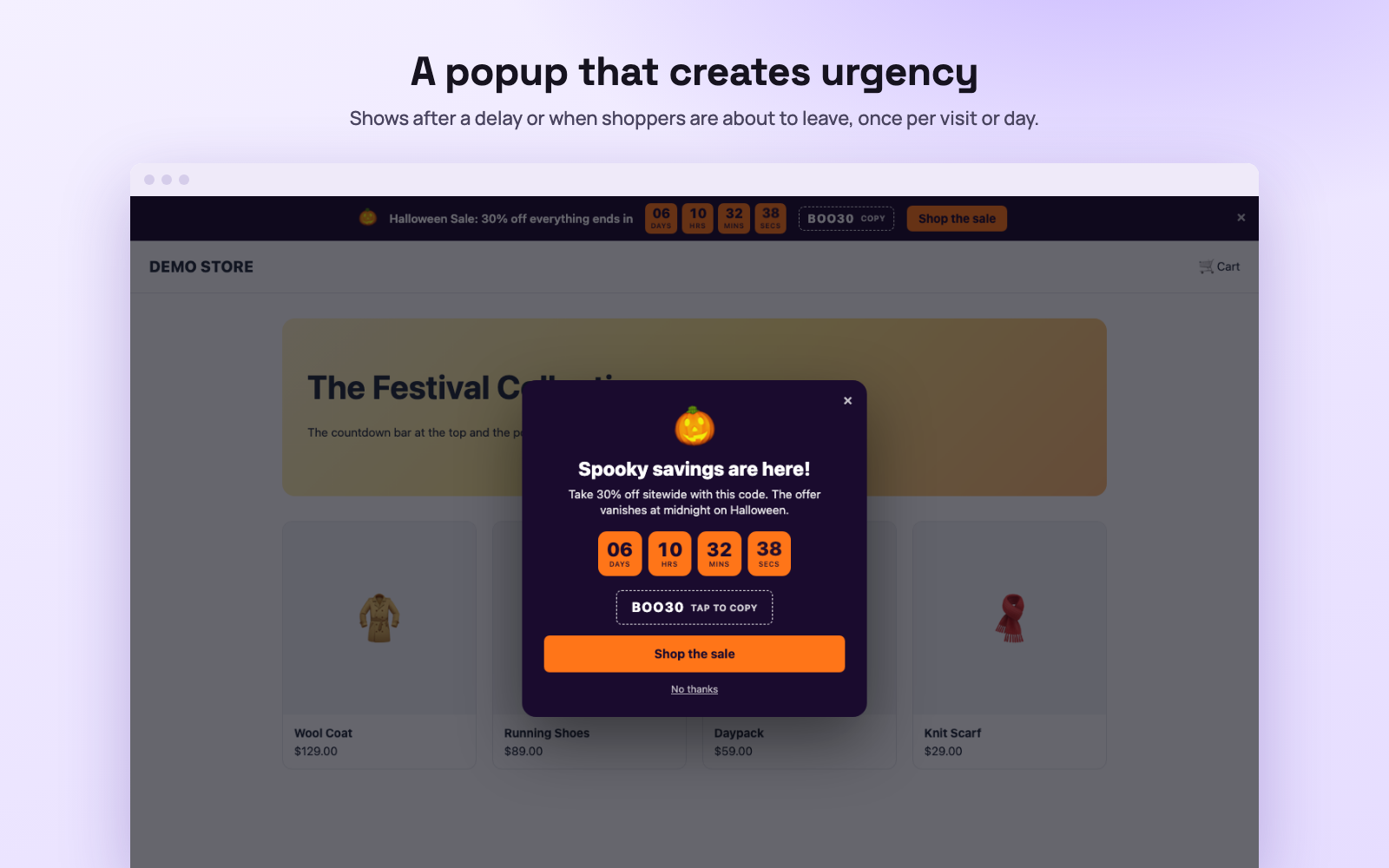
A popup that opens after a delay or when a shopper is about to leave. 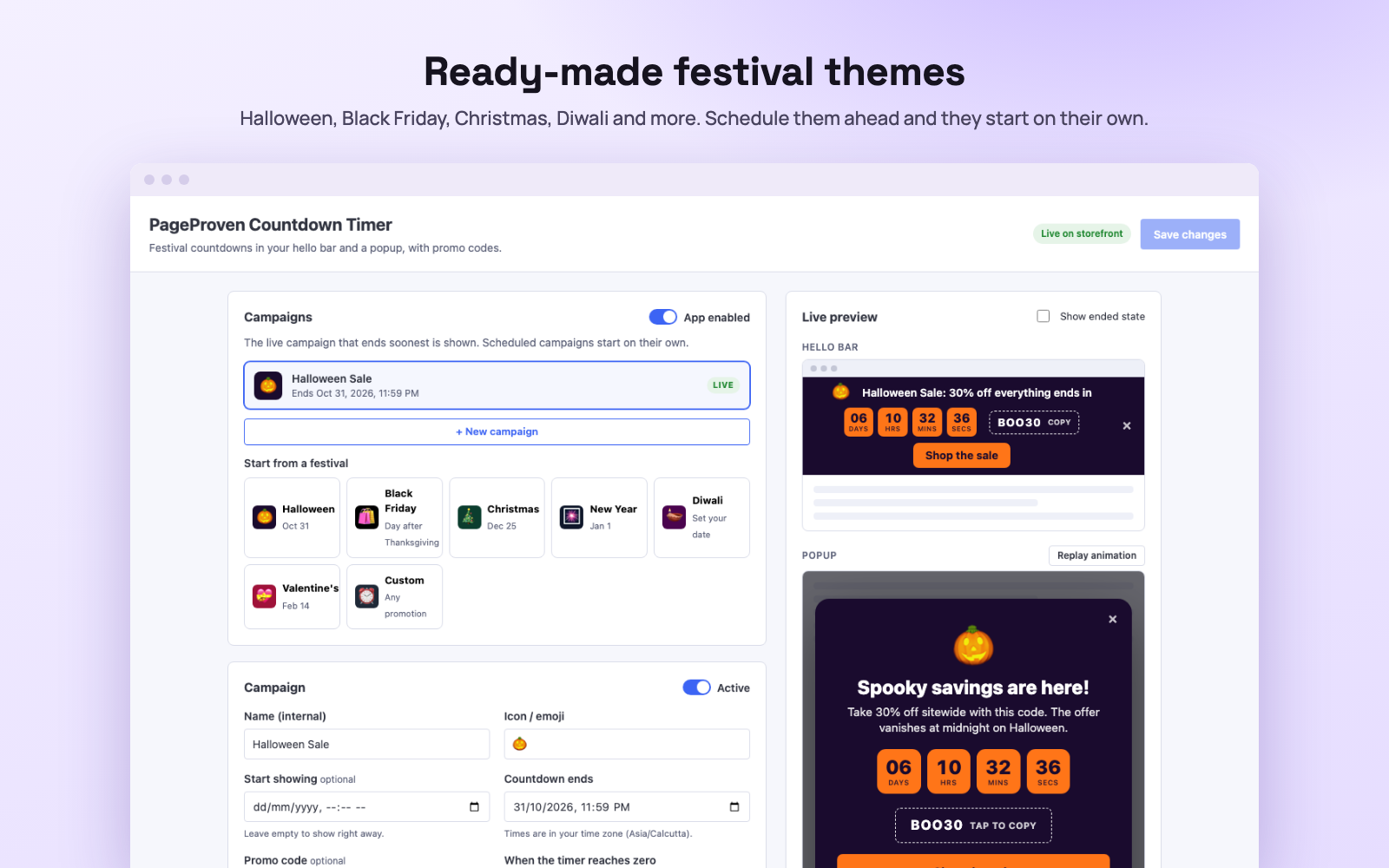
Ready-made festival themes and campaigns that run on a schedule.
Features
- Live countdown hello barDays, hours, minutes and seconds, at the top or bottom of every page.
- Urgency popupOpens after a delay or when a shopper is about to leave, once per visit, once per day or on every page.
- One-click promo codesShoppers copy the code from the bar or the popup in one click.
- Festival themes and schedulingReady-made themes, and campaigns that start and end on their own.
How it works
- Install the app from your BigCommerce control panel.
- Click New campaign and pick a festival theme, or choose Custom.
- Set the end date, promo code and messages, then save.
- Create the matching coupon in BigCommerce so the code works at checkout.

Reviews Showcase
Put your Google and store reviews where shoppers decide.
Show your Google reviews and your BigCommerce product reviews together: a carousel or grid of your best reviews on the homepage, and a reviews page with every review. Shoppers see your combined star rating and filter by source, stars, product and the words customers use, like “battery” or “fast shipping”.
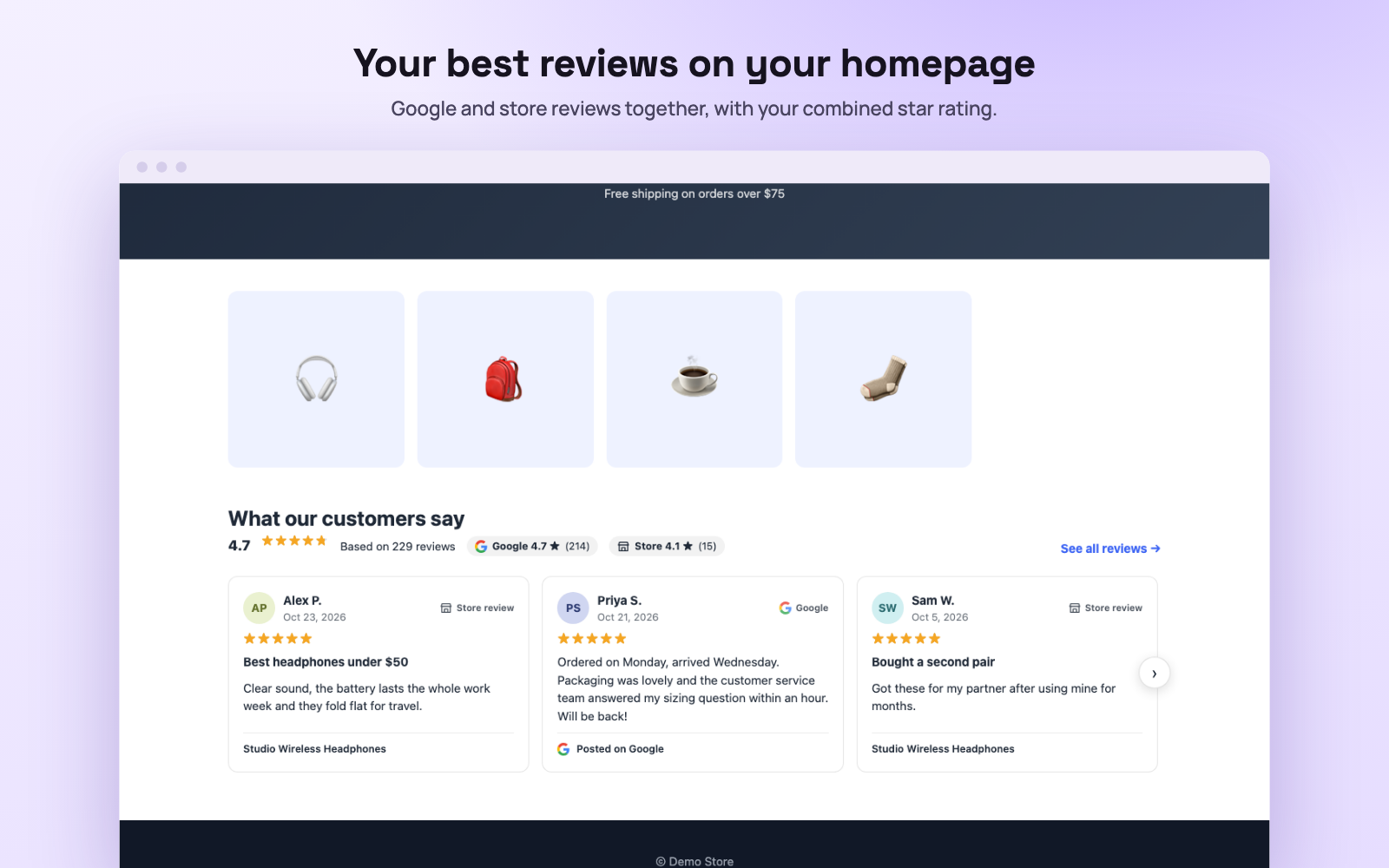
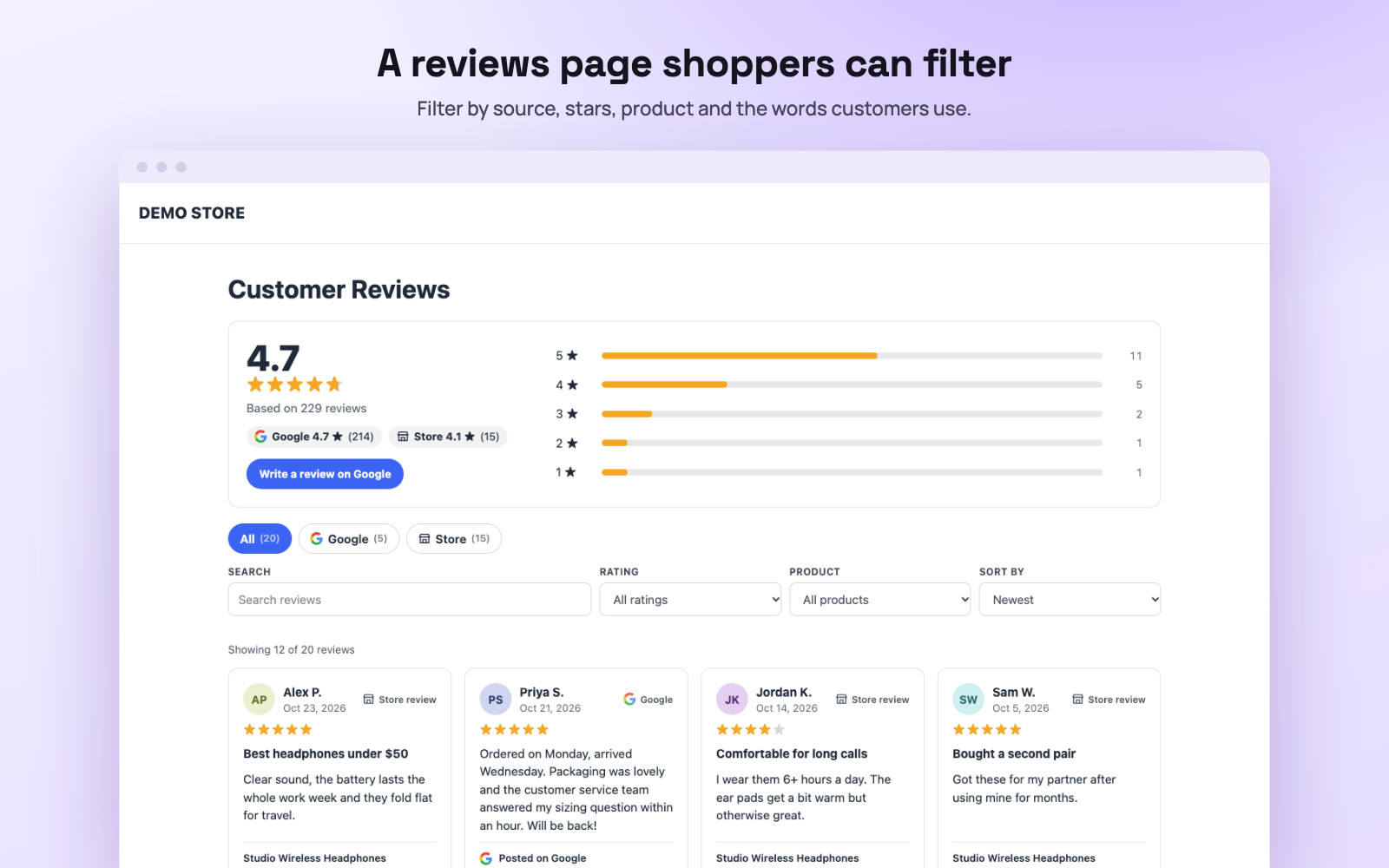
A reviews page with a star breakdown, tabs and filters. 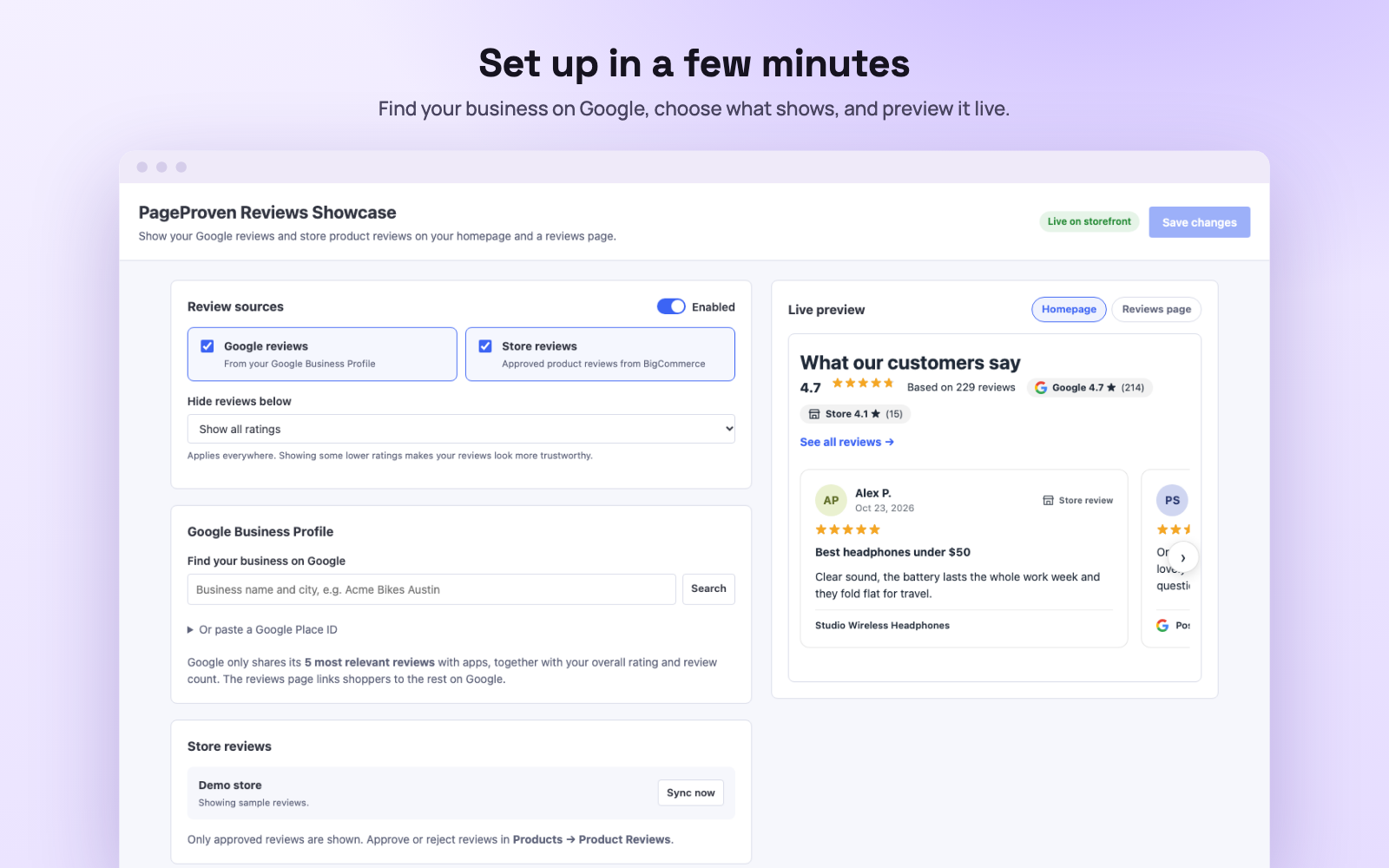
Find your business on Google and preview the result live.
Features
- Google and store reviews togetherYour Google rating and reviews next to approved product reviews from BigCommerce, with one combined score.
- Homepage carousel or gridYour best reviews on the homepage, with a link to the full reviews page.
- A reviews page with filtersShoppers filter by source, stars, product and keyword, and sort by newest or highest rated. Filtered views can be shared as links.
- Reviews that mention…Clickable tags for words your customers use. The app suggests them from your own reviews.
How it works
- Install the app from your BigCommerce control panel.
- Search for your business name and city to connect your Google reviews.
- Choose the homepage layout, the reviews page URL and the filters, then save.
- Add the reviews page to your store menu. Store reviews stay in sync on their own.
Built for BigCommerce
Questions
Which BigCommerce themes do the apps work with?
Cornerstone and the many Stencil themes built on it work out of the box. The hello bar works on any Stencil theme. If a theme builds its slide cart differently, you can point the app at the right spot in its advanced settings, without editing the theme. Headless storefronts are not supported.
Do the apps change my prices, shipping or checkout?
No. They only add messages, reviews and a reviews page to your storefront. You set up the real free shipping rule and coupon codes in BigCommerce, using the same amount and code you enter in the app.
Does Reviews Showcase show all my Google reviews?
It shows your full Google star rating and review count, and the 5 reviews Google picks as most relevant: Google shares no more than that with any app. The reviews page links shoppers to the rest on Google and asks them to write one. All of your approved store reviews are shown.
What data do the apps store?
Your store ID, the access token BigCommerce gives the app, and the settings you save. Reviews Showcase also keeps a copy of your approved product reviews to show them quickly. Everything is deleted when you uninstall. Free Shipping Bar asks BigCommerce for two permissions: to manage storefront scripts and to read store settings. None of the apps can read your orders or customers. Read the details.
When can I install them?
The apps are being prepared for the BigCommerce App Marketplace. Pricing will be shown on the Marketplace listing. Get in touch if you’d like early access.
Want them on your store first?
All three apps are on their way to the BigCommerce App Marketplace. Tell us about your store and we’ll get you early access.
Ask for early access